
Steel Browser VPS: A real browser for your AI agent
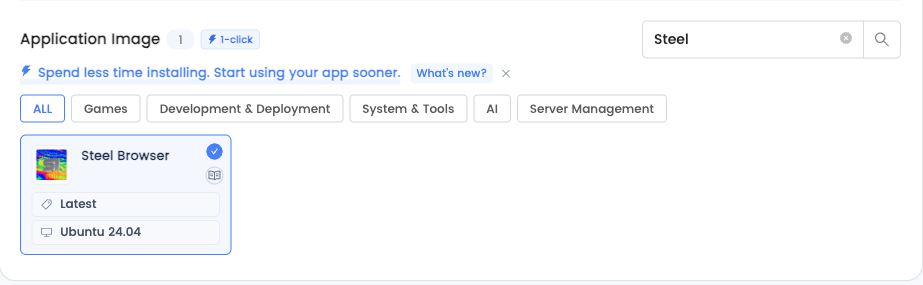
Launch Steel Browser on your own LightNode VPS. Connect your agent through a browser API or Playwright, watch its session live, and keep the browser profile on your server. Choose Steel Browser Latest with Ubuntu 24.04; installation runs automatically on first boot.
Start
$13.7/month
Steel Browser VPS
- 4 GB DDR4 Memory
- 2 vCPU High Frequency
- 50 GB NVMe SSD Storage
- 1 TB Bandwidth
- Steel Browser Latest · Ubuntu 24.04
Agency
$26.7/month
Steel Browser VPS
- 8 GB DDR4 Memory
- 4 vCPU High Frequency
- 50 GB NVMe SSD Storage
- 2 TB Bandwidth
- Steel Browser Latest · Ubuntu 24.04
Premium
$51.7/month
Steel Browser VPS
- 16 GB DDR4 Memory
- 8 vCPU High Frequency
- 50 GB NVMe SSD Storage
- 3 TB Bandwidth
- Steel Browser Latest · Ubuntu 24.04
Enterprise
$100.7/month
Steel Browser VPS
- 32 GB DDR4 Memory
- 16 vCPU High Frequency
- 50 GB NVMe SSD Storage
- 4 TB Bandwidth
- Steel Browser Latest · Ubuntu 24.04
The browser layer for your agent workflow
Open the viewer, test a Playwright CDP connection, then connect your own model and agent tools.
Connect the tools you use
Use HTTP APIs and Chrome DevTools Protocol. Playwright and Puppeteer can control navigation, forms, screenshots and page content.
Watch and take over
Open the live browser viewer to inspect a task or complete a website login yourself before your agent continues.
Keep your browser data
The default browser profile and downloads use persistent directories on your VPS. Website sessions can still expire.
Connect. Deploy. Grow - Globally
Start deploying your High Performance Cloud VPS worldwide. Reduce latency, with our Cloud VPS located near your users and equipped with local BGP access.
 Silicon Valley
- Washington
 Frankfurt
 Istanbul
 Riyadh
 Dubai
Dubai Bangkok
 Hanoi
Hanoi Phnom Penh
- Ho Chi Minh
 Hong Kong
 Taipei
 Seoul
Seoul Johannesburg
 Singapore
 Manila
 Dhaka
Dhaka Sao Paulo
- Jeddah
 Tokyo
Tokyo Cairo
Cairo Bahrain
 Sofia
Sofia Athens
 Kuala Lumpur
 London
 Muscat
 Kuwait City
 Marseille
 Karachi
 kathmandu
 Moscow
 Buenos Aires
 Jakarta
 Mexico City
 Santiago
 Yangon
 Bogota
 Baghdad
 Doha
Doha Lima
Lima
LightNode Worldwide Locations
0
21
Years Experience
150+
Data Centers
1,100,000+
Cloud Servers Launched
Choose resources for a browser workload
- OS
- Ubuntu 24.04 x86_64
- RAM
- At least 4 GB RAM; 8 GB recommended for heavier pages
- Docker
- Official Docker image: latest on first boot
- SSH
- API and CDP accessed through SSH forwarding
From a VPS to an agent-connected browser
- Choose a location and a plan with at least 4 GB RAM. Select Steel Browser, Latest and Ubuntu 24.04 in the application images.
- Create the VPS and wait for first-boot installation. Connect through SSH and forward ports 3000 and 9223 to your computer.
- Open the viewer, test a Playwright CDP connection, then connect your own model and agent tools.
Steel Browser VPS questions
- Steel supplies the browser service. You choose and configure the model, agent framework and task permissions. Model-provider usage is separate from VPS billing.
- The preinstall provides a browser API and live browser viewer. It does not install a full desktop or desktop applications. Choose a desktop VPS when you need that environment.
- Each new VPS pulls the latest official Steel Docker image during its first installation. Restarts retain the installed image and browser profile. Existing servers do not automatically upgrade when the tag changes.
Deploy Steel Browser
Use HTTP APIs and Chrome DevTools Protocol. Playwright and Puppeteer can control navigation, forms, screenshots and page content.